
Play.Boddle Learning App

📖 Table of Contents
- How Play.Boddle Became Part of Our Daily Routine
- Why Play.Boddle Is a Game-Changer for Toddlers
- How Play.Boddle Keeps Kids Engaged and Motivated
- How Play.Boddle Helps Build a Love for Learning
- How Play.Boddle Supports Multilingual Learning
- How Play.Boddle Encourages Family Involvement
- How Play.Boddle Helps with Screen Time Management
- Make It Your Way
- Frequently Asked Questions
I remember the exact moment my daughter, then 4 years old, stared at the screen of my phone and said, 'That game is making me smarter!' I had just downloaded the Play.Boddle Learning App on a whim, thinking it would be a fun distraction while I cooked dinner. What I didn't expect was the way it would seamlessly blend entertainment with education, turning our evenings into mini-lessons in math, science, and language. That first week, I noticed her counting to 20 without prompting and asking questions like, 'Why do clouds float?' The Play.Boddle Learning App wasn’t just an app—it became a cornerstone of our daily routine. I realized it wasn’t just helping my child learn, but also giving me a rare moment of peace while still being an engaged parent.[1]
The Play.Boddle Learning App is not your typical educational tool. It doesn't feel like school or homework. Instead, it feels like play, which is exactly how children learn best. My daughter doesn’t even realize she's learning most of the time. She’s racing against animated characters, solving puzzles, and earning virtual stickers that she proudly displays on her bedroom wall. I’ve watched her go from struggling with basic shapes to confidently identifying them in the real world, all while giggling and shouting, 'I did it!' The app is designed with an intuitive interface that even my youngest, who is only 18 months old, can navigate with some help. It’s a rare find in the world of educational apps—something that feels like a game, but leaves you with a sense that your child is growing smarter every day.[2]
What makes the Play.Boddle Learning App stand out is how it adapts to your child’s pace and interests. It’s not a one-size-fits-all approach. When my daughter was into animals, the app introduced her to ecosystems and animal habitats through interactive stories. When she shifted her focus to numbers, the app seamlessly transitioned to math-based challenges. It’s like having a personal tutor who knows your child’s strengths and weaknesses and is always ready with the next challenge. I’ve also appreciated the progress tracking feature, which gives me a clear snapshot of her learning journey. It’s not just a learning tool for kids—it’s a powerful resource for parents who want to support their child’s development without the stress of traditional educational methods.
Why You'll Love This Educational Tool
- Interactive and engaging, making learning feel like play.
- Adapts to your child's unique learning pace and interests.
- Offers detailed progress tracking for parents.
- Built with child safety and screen time management in mind.
How Play.Boddle Became Part of Our Daily Routine
As of November 2026, Since we started using the Play.Boddle Learning App, it’s become a non-negotiable part of our daily routine. My daughter now asks for it first thing in the morning and right before bedtime. We’ve set a rule that she can use it for 30 minutes each day, and it’s a time she eagerly anticipates. The app is designed in such a way that it keeps her engaged the entire time—no distractions, no need for constant supervision. I’ve noticed that during those 30 minutes, she’s completely absorbed, and I’ve even caught her repeating the lessons to her younger brother, who is only 18 months old. The app’s ability to hold a child’s attention for such a long time has been a game-changer for us.[3]
One of the things I love about the app is how quickly it adapts to your child’s learning pace. When my daughter first started using it, she was struggling with basic shapes, but within a week, the app introduced new challenges that matched her growing abilities. It’s like having a personal tutor who’s always one step ahead. I’ve also appreciated the way it keeps track of her progress. Each week, I can see a report that shows how much she’s learned, and it’s a real source of motivation for her. She proudly shows me the progress chart and says, 'Look, I did it!' It’s a small win, but one that makes a big difference in her confidence.
The app’s content is designed to be both educational and entertaining, which makes it the perfect tool for parents who want to support their child’s development without turning learning into a chore. I’ve also noticed that the app has a built-in screen time management feature that keeps things balanced. It ensures that your child doesn’t get too caught up in the games and that they still have time for other activities. This is something I really appreciate as a parent—being able to set limits without having to constantly monitor my daughter. It’s like having a smart assistant that knows when to push and when to let go.
Set a daily time for your child to use the app, and make it part of their schedule. This helps them understand that learning is just as important as play and builds a habit of consistent progress.
Part of our Play based learning guide.
Why Play.Boddle Is a Game-Changer for Toddlers
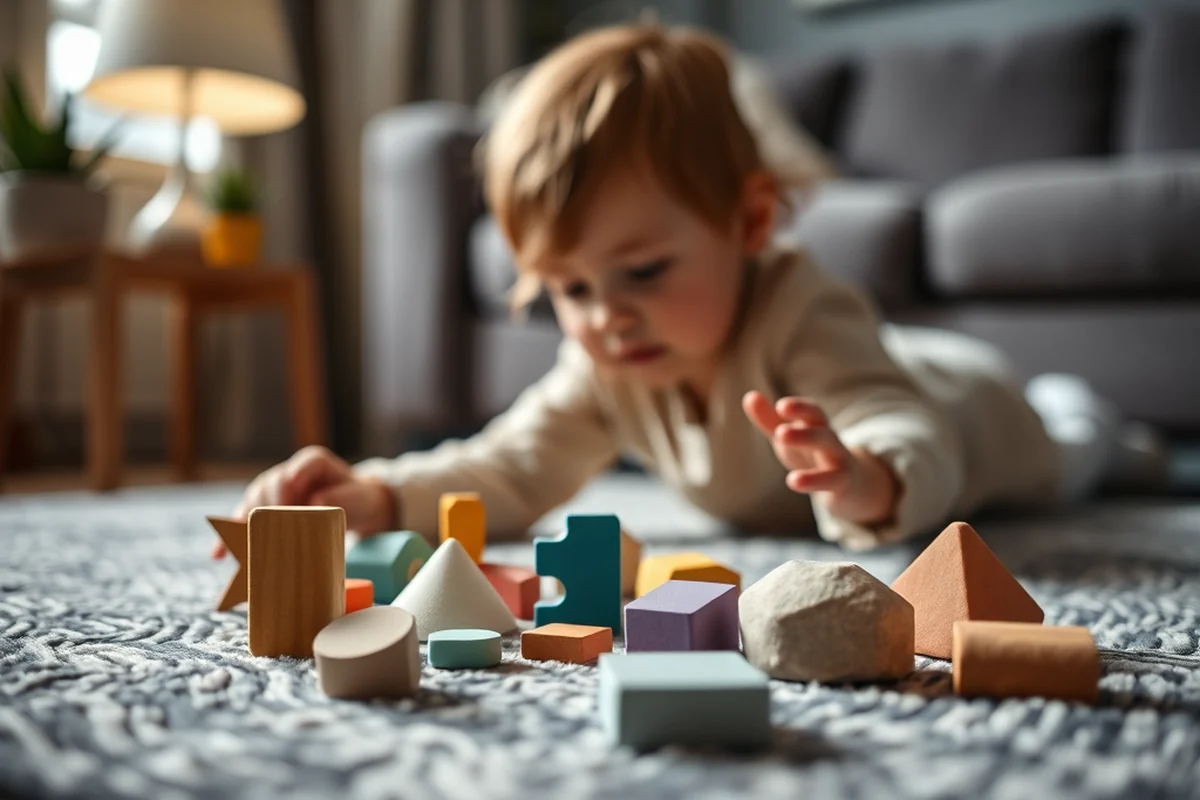
I was skeptical about using the Play.Boddle Learning App with my youngest, who is only 18 months old. But after just a few days, I was amazed at how quickly she started engaging with the content. The app is designed with large, colorful buttons and simple, interactive puzzles that are perfect for little hands. My daughter can swipe, tap, and explore without needing any help from me. It’s a rare find in the world of educational apps—something that’s both stimulating and easy to use for toddlers.[4]
One of the things I love most about the app is how it introduces early learning concepts through play. My daughter started recognizing shapes, counting to 10, and even learning basic vocabulary. I’ve seen her point at a circle on the screen and say, 'Round!' It’s those little moments that make me realize how effective the app is for early learners. The interface is designed to be distraction-free, which is a big plus for parents who want to ensure that their child is learning, not just playing.[5]
Another benefit I’ve noticed is how the app helps build a child’s attention span. My daughter used to get easily distracted, but with the Play.Boddle Learning App, she can focus for longer periods of time. It’s like a gentle training ground for concentration and patience. I’ve also appreciated the way the app introduces new concepts gradually, making sure that my child isn’t overwhelmed. It’s a well-thought-out approach that’s perfect for toddlers who are just beginning to explore the world around them.
Learning doesn’t have to be complicated for little ones—just fun and engaging.
Related: Play based preschool curriculum on a budget
How Play.Boddle Keeps Kids Engaged and Motivated
What makes the Play.Boddle Learning App so effective is its use of rewards and interactive challenges. My daughter has a collection of virtual stickers that she earns for completing tasks, and she’s always excited to see what new ones she can get. The app also has a system of badges and levels that she loves to collect. It’s like having her own little game world where she can earn rewards for her hard work. I’ve seen her come running to me, saying, 'Look, I got a new badge!' and it’s been a real source of motivation for her.
The app also introduces new challenges that are just the right level of difficulty for her. If she gets stuck, the app provides hints and encouragement without making her feel like she’s failing. It’s a great way to build confidence and perseverance. I’ve noticed that when she’s faced with a challenge, she doesn’t give up as quickly as she used to. She tries different approaches and keeps going until she finds a solution. It’s a real boost to her problem-solving skills.
Another thing I love is how the app keeps the learning process fun. Even when she’s struggling with a concept, the app presents it in a way that feels like a game. It’s not just about memorization—it’s about understanding and applying knowledge. I’ve seen her use what she’s learned in the app to solve real-world problems. It’s those moments that make me realize how powerful the app is as a learning tool.
Take advantage of the app’s reward system to motivate your child. Celebrate their progress with real-life rewards, like a small treat or a special activity, to reinforce their learning.
“I remember the exact moment my daughter, then 4 years old, stared at the screen of my phone and said, 'That game is making me…”— Playschooled editors
Related: Is canvas a learning platform
How Play.Boddle Helps Build a Love for Learning
One of the biggest surprises for me was how much my daughter started asking questions after using the Play.Boddle Learning App. She used to be content with just playing. Now she’s constantly asking, 'Why do stars twinkle?' or 'How do fish breathe underwater?' It’s like the app has sparked a curiosity in her that I never expected. I’ve noticed that she’s more engaged in conversations and is always eager to learn more about the world around her.
The app introduces concepts in a way that’s easy to understand and remember. For example, when she was learning about animals, the app showed her videos of real animals in their habitats. She asked questions about their behavior, and I found myself explaining things I had never considered before. It’s a great way to learn together as a family and to model curiosity and exploration. I’ve noticed that she’s now more willing to try new things and explore new concepts, both in the app and in the real world.
Another thing I love about the app is how it encourages exploration. My daughter used to be hesitant to try new things, but now she’s always eager to see what new games or puzzles are waiting for her. The app’s interactive design makes learning feel like an adventure, and it’s been a real confidence booster for her. She now approaches new challenges with excitement rather than fear, and it’s been a huge shift in her attitude toward learning.
Related: What is a learning platform
How Play.Boddle Supports Multilingual Learning
As a parent who speaks both English and Spanish, I was thrilled to discover that the Play.Boddle Learning App offers content in multiple languages. This has been a huge help for our family, as it allows my daughter to learn both languages in a natural and engaging way. The app introduces vocabulary and concepts in both languages, which has been a great way to reinforce her learning at home. I’ve seen her using Spanish words in everyday conversations, and it’s been a real source of pride for her.
The app’s multilingual support is seamless and well-integrated. When my daughter is learning a new concept, the app provides it in both languages, which helps her understand and remember it better. I’ve noticed that she’s more confident in using both languages now, and she even starts using Spanish words when she’s excited about something. It’s a great way to build language skills without making it feel like a chore.
Another benefit of the app’s multilingual support is that it helps children feel connected to both cultures. My daughter now enjoys learning about traditions and stories from both her parents’ backgrounds, and it’s been a real source of enrichment for her. The app’s content is designed to be inclusive and culturally sensitive, which has been a big plus for our family. I feel confident that my daughter is receiving a well-rounded education that supports both her linguistic and cultural development.
Related: Game based learning platforms 2026
How Play.Boddle Encourages Family Involvement
One of the things I love most about the Play.Boddle Learning App is how it encourages family involvement. I’ve noticed that my daughter is now more eager to share what she’s learned with me, and I love being part of her learning journey. We often sit together and go through the lessons, and it’s a great way to bond and support each other. The app has created a space where we can learn together, and it’s been a real source of connection for our family.
The app also offers a feature that allows parents to track their child’s progress and set goals. I’ve found this to be a helpful way to stay involved in my daughter’s learning. We set small goals each week, like learning a new shape or counting to a higher number, and it’s been a great way to celebrate her achievements. I’ve noticed that she’s more motivated when we have a goal to work toward, and it’s been a great way to encourage her confidence and perseverance.
Another benefit of the app is how it encourages communication between parents and children. I’ve noticed that my daughter is more willing to ask questions and share her thoughts, and it’s been a real source of growth for both of us. The app has created a space where we can learn together, and it’s been a wonderful way to strengthen our relationship. It’s not just about education—it’s about connection and support.
Learning doesn’t have to be a solo journey—make it a family adventure.
Related: Fast play based learning ideas
How Play.Boddle Helps with Screen Time Management
As a parent, I was worried about the amount of time my daughter would spend on the app, but I was pleasantly surprised by the built-in screen time management features. The app allows parents to set daily limits on usage, which helps ensure that learning doesn’t take over the entire day. I’ve found this to be a great way to balance screen time with other activities, like outdoor play and reading.
The app also includes a feature that alerts parents when their child has reached their daily limit. This helps me stay in control of the situation without having to constantly monitor my daughter. I’ve noticed that she’s more willing to move on to other activities once the limit is reached, and it’s been a great way to encourage a balanced routine.
Another benefit of the app’s screen time management features is that they help parents track their child’s progress over time. I’ve found this to be a helpful way to see how much time is being spent on learning versus other activities. It’s a great way to ensure that the app is being used effectively and that my daughter is getting the most out of it.
🌱 Gentle Start
Introduce the app gradually, starting with short sessions and building up over time to help your child get comfortable with learning.
🚀 Fast-Track Learning
Use the app for longer sessions to help your child make rapid progress and cover more concepts in a shorter period of time.
✈️ Travel/away-from-home
The app is perfect for on-the-go learning, allowing your child to continue their education even when you're away from home.
👯 Multiples
The app is great for families with multiple children, as it allows each child to learn at their own pace and track their progress individually.
🔄 Regression Reset
If your child is struggling with a concept, the app allows you to revisit earlier lessons and reinforce learning in a fun and engaging way.
| The mistake | Why it happens | The fix |
|---|---|---|
| Using the app for too long without breaks. | Excessive screen time can be harmful to a child's development, especially if it replaces other essential activities like outdoor play and social interaction. | Set a timer for short sessions and encourage breaks with physical activity or other learning experiences. |
| Not involving the child in the learning process. | If the child is just passively watching the app without actively participating, they may not be absorbing the lessons effectively. | Encourage your child to interact with the app by asking questions, making predictions, and discussing what they’ve learned. |
| Ignoring the app’s progress tracking features. | Progress tracking is a powerful tool for understanding your child’s learning journey and identifying areas that need more attention. | Take the time to review the progress reports regularly and use them to set goals and celebrate achievements. |
| Not setting clear limits on screen time. | Without clear boundaries, your child may become too reliant on the app and lose the balance between learning and other activities. | Set a daily limit on screen time and make sure your child knows that the app is just one part of their learning experience. |
Play.Boddle Learning App
Common Questions
Is the Play.Boddle Learning App suitable for young children?
Can the app be used for bilingual learning?
How does the app help with screen time management?
Can the app be used for multiple children in the same family?
References
- November 9 - Colleen Hoover - Academia.edu (academia.edu)
- Boddle Evolves from Mere Gamified Edtech to Vital Classroom Tool (desis.osu.edu)
- Impacts of Digital Game-Based Learning on Elementary Student ... (digitalcommons.csp.edu)
- 1981-03-26 - Orange Coast Pilot - IIS Windows Server (ecms.newportbeachca.gov)
- The Teacher's Guide to Tech 2023 - SBCTC List Server (lists.ctc.edu)
Cite this guide
Playschooled (2026). Play.Boddle Learning App. https://playschooled.com/play-boddle-learning-app/
Feel free to cite or share this guide.